 Fahampesa
Record counter sales
Choose products, enter quantities and keep a record of completed sales. Review transaction details when a customer or staff member needs clarification.
Fahampesa for Retail shops
Keep counter sales, stock and daily business records together. Fahampesa helps Kenyan shop owners see what sold and what is available, with a POS workspace for the team serving customers.
Software subscription only. Hardware sold separately.
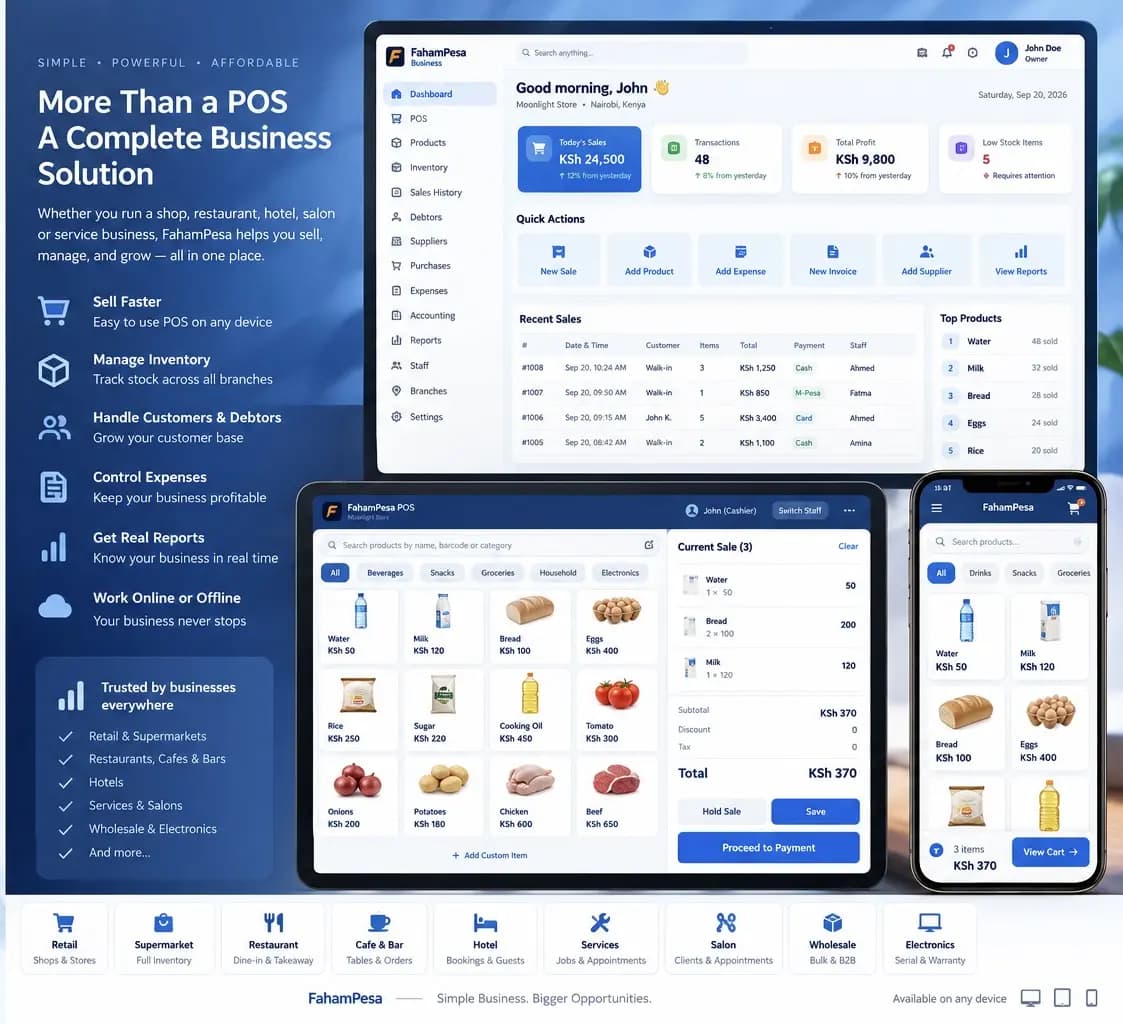
Fahampesa product overview. Your workspace depends on the business type and app version.
Made for your working day
General stores, clothing shops, electronics shops and other retailers selling products at the counter.
A sale written in one book and a stock count kept somewhere else can leave an owner unsure what is available. Keeping product, sales and inventory records together gives the team a clearer starting point for daily decisions.
Choose products, enter quantities and keep a record of completed sales. Review transaction details when a customer or staff member needs clarification.
Maintain product prices and quantities, and review stock movement alongside sales. Use the inventory view to prepare a restocking decision.
Check sales, expenses and available business reports. Owners can review synced records online away from the counter, subject to connectivity and account access.
Add the products and starting stock for the shop.
Record a customer's basket and its payment in the supported checkout workflow.
Review the sale and stock records, then use reports to plan the next trading day.
Supported checkout workflows let your team record cash, M-Pesa, card and bank payments. Payment recording does not automatically process a card or verify an M-Pesa transfer. Ask us to demonstrate the payment and confirmation steps available for your business.
See it with your business in mind
Bring a short list of your products, current prices and devices. Ask us to demonstrate a sale, a stock adjustment and a daily report with examples that match your shop.
Request a Demo on WhatsAppVisit our showroom: Diamond Plaza 1, 4th floor, Parklands, Nairobi, Kenya.
WhatsApp: +254 117 154 195
Call: 0716 908 595
Windows installation guideYou can review synced business records online with an authorized owner account. Records made offline become available on other devices after they synchronize.
The software subscription and hardware are separate. Tell us which computer, scanner and printer you already use so we can confirm a suitable setup.
Built around your business
Explore sales, stock and service workflows for businesses in Kenya.