
Sample sale items01 / 08
Cooking oil 1L× 1
Bread 400g× 1
Retail shops
Record counter sales and keep products and stock visible.
Clothing · electronics · general stores
Built for business in Kenya
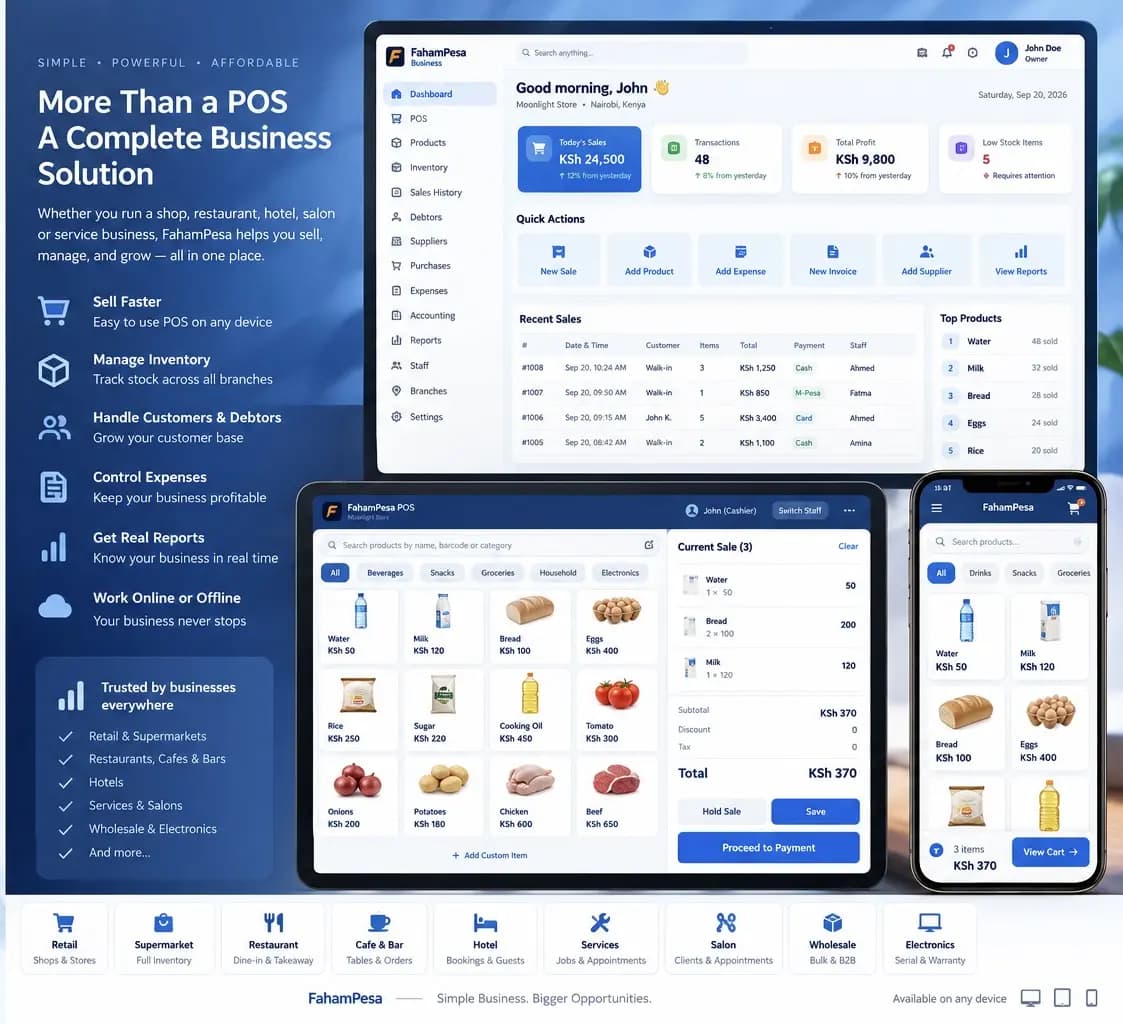
Sell products or services, keep an eye on stock, and understand your day. Fahampesa gives Kenyan retail, hospitality and service teams one place to work.
Sales · Products and services · Stock · Reports
Who we serve
One business system, with a sale that looks different for every team.
Swipe to explore eight business types
Record counter sales and keep products and stock visible.
Clothing · electronics · general stores
Follow a busy checkout and review daily sales.
Minimarts · groceries · convenience
Record bulk quantities alongside sales and stock.
Distributors · bulk suppliers
Record food and drink sales in one business view.
Cafes · takeaways · restaurants
Bring goods and service sales into your daily records.
Hotels · lodges · guest houses
Follow counter sales and business performance.
Bars · lounges · clubs
Record treatments alongside products your team sells.
Hair · beauty · barbershops
Capture a service as a sale, from massage to repairs.
Massage therapy · repairs · wellness
The items shown are illustrative examples. Explore a full sample sale below.
Example workflows
Choose a business to see the products or services a team might record. These are illustrative examples, not customer transactions.
Retail shop
A typical counter sale
Illustrative entries. See the genuine Fahampesa interface screenshots below.
The product
These images come from the Fahampesa product materials. Screen contents are demonstrations and may differ by app or plan.
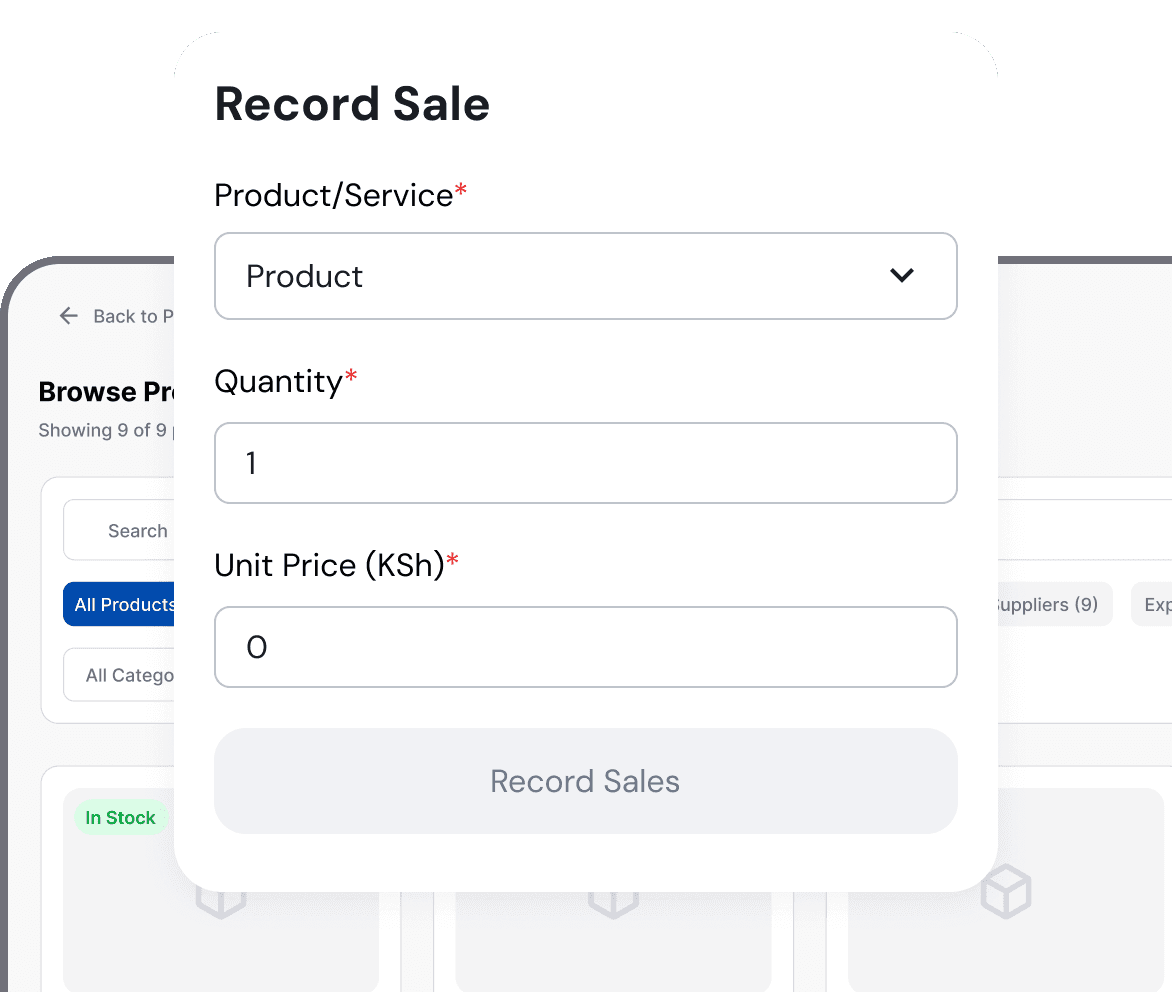
01 / SALES
Choose a product or service, enter the quantity and price, and keep a clear sales record.
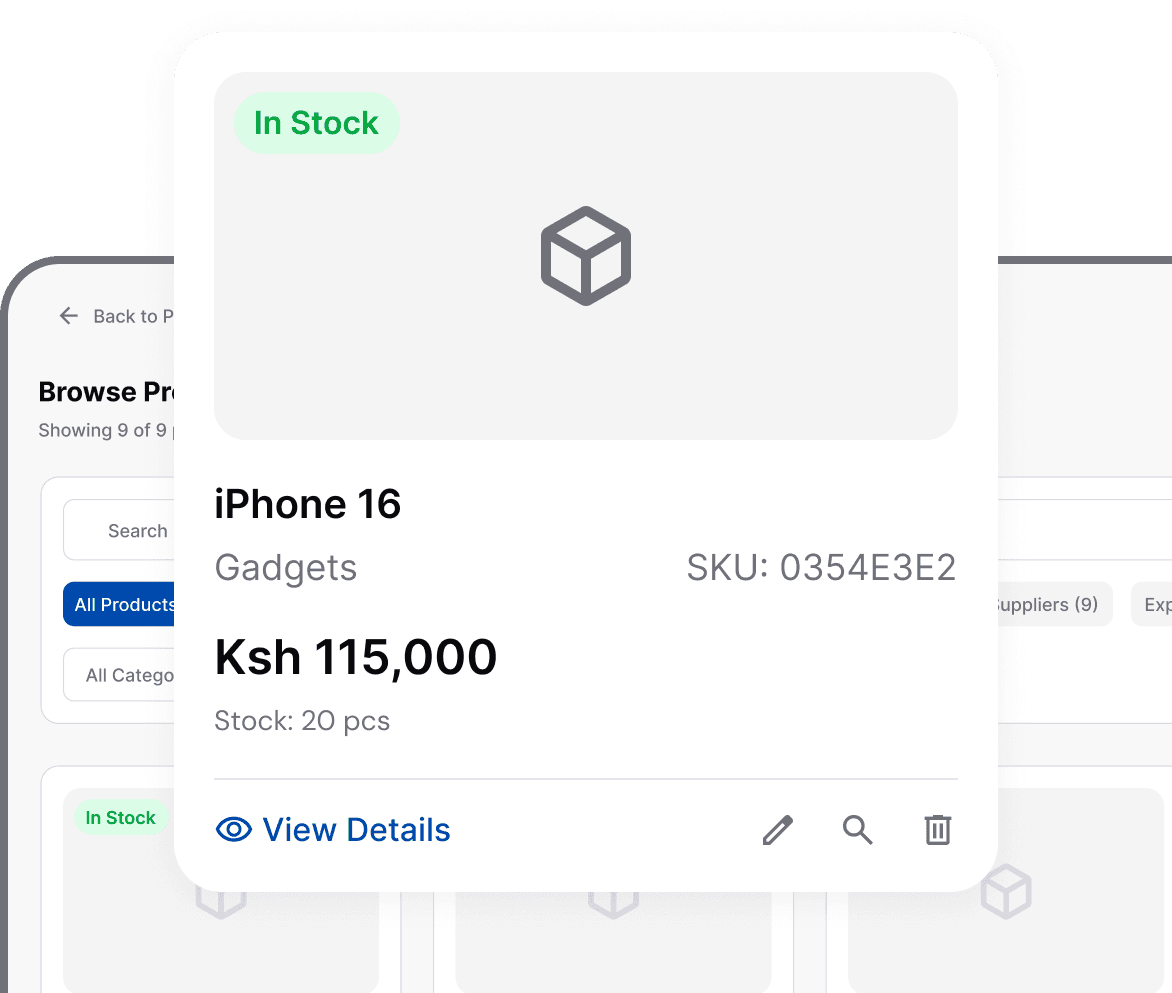
02 / STOCK
Keep products and quantities visible as your business sells and grows.

03 / REPORTS
Review sales and performance in a dashboard built for decisions, not guesswork.
Getting started
See the actual sales, stock and reporting screens above. Your business type determines the items and services you set up.
Create your owner accountCreate an owner account, choose your business type and branch, then add the products or services you sell.
Select the item or service, enter its quantity and price, and save the sale in your business record.
Check sales and inventory reports so you know what moved and what needs attention.
Across your devices
Use Fahampesa on the web, on an Android phone or tablet, or with a desktop app. The available features and offline behaviour depend on the version you choose.
On Windows, the current install guide uses Edge or Chrome to add the business app. Internet access is needed for first setup. Ask us about offline work and syncing on your chosen device.

Illustrative business scene. Fahampesa interface screens are shown above.
Good to know
Fahampesa serves retail, supermarkets, wholesale, restaurants, cafes, bars, hotels, salons, spas and other service businesses. Tell us how your business works so we can show the setup that fits.
Yes. Fahampesa's sales flow accepts a product or service. The sample scenarios on this page show how service items can appear in a sale; they are illustrative, not customer records.
Use Fahampesa on the web, with its Android app on supported phones or tablets, or with a desktop app. Check the installation guide for the current downloads and the features of each version.
Offline support depends on the app and setup. Fahampesa supports offline work and syncing when connectivity returns; ask our team to show the workflow on the devices you plan to use.
M-Pesa integration is listed for the Desktop Pro offering. Contact us to see the exact payment and confirmation flow available for your business before choosing a plan.
There is a free option for testing and onboarding. Features differ by plan and device. See the current pricing page, then ask our team to confirm the right setup for your business.
Comparing systems? Check the exact plan limits, payment flow, hardware and offline setup before deciding. See Fahampesa plans or ask for a walkthrough with your real products and services.
Tell our team what you sell, which devices you use, and how many people or locations need access.